Data silos prevent a unified view
When information resides in separate applications, AI-assisted workflows can lack the trusted business context needed for useful answers or actions.
 Book a Systems Review ↗
AI in Existing Business Systems
Connect AI to approved business data and defined workflows so it can retrieve context, prepare summaries, surface exceptions and assist people inside the work they already do.
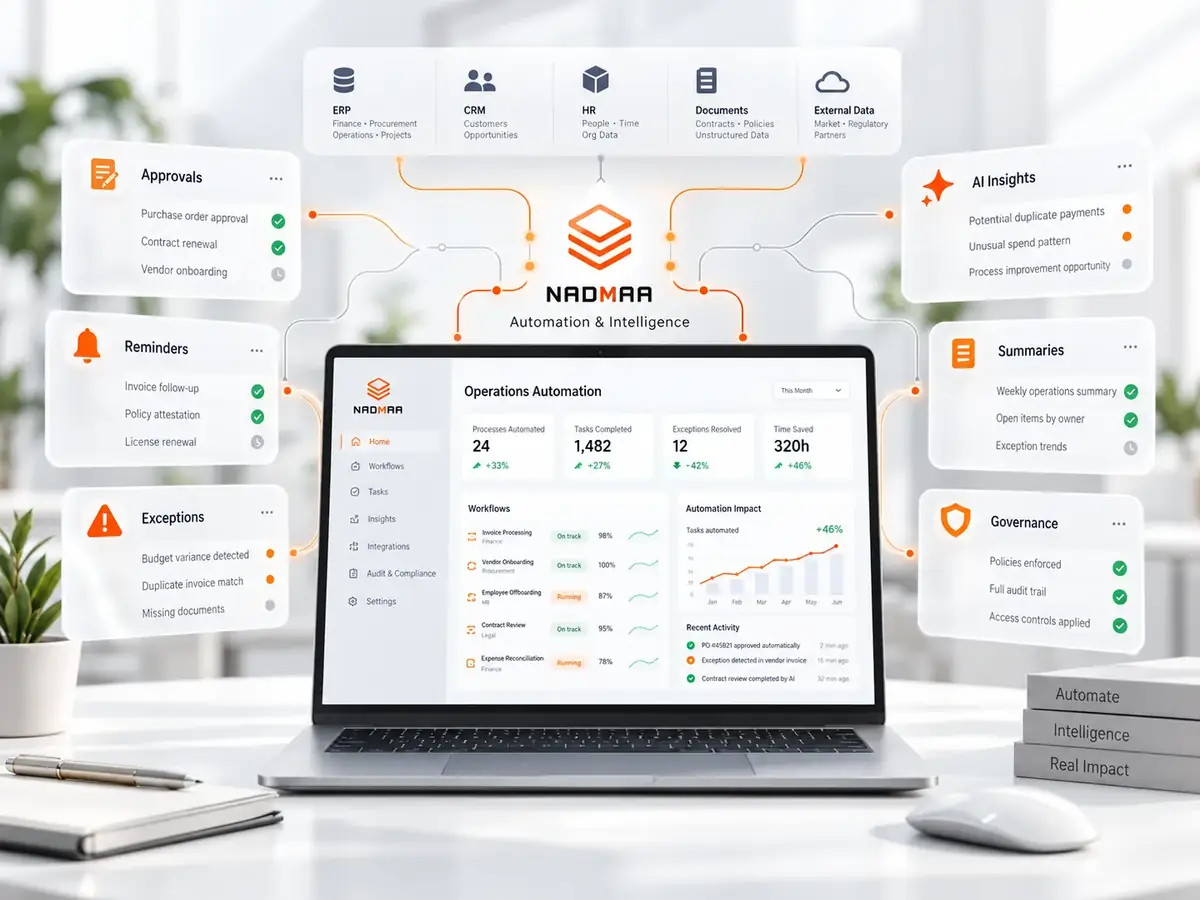
In practical terms
The value comes from connecting a model to trusted records, permissions and a defined task. We focus on retrieval, summarization and workflow assistance where the answer can be checked against business data.
Where it helps
When information resides in separate applications, AI-assisted workflows can lack the trusted business context needed for useful answers or actions.
Repeated approvals and data entry keep routine work manual and make it harder to introduce governed AI assistance at the right step.
Older ERP or CRM platforms may expose limited APIs, making it harder to provide reliable, permission-aware context to an AI service.
Without defined rules for who can view or modify model outputs, organizations risk unauthorized use and poorly governed outputs.
What the engagement can produce
A visual representation of each workflow, highlighting where AI can be introduced and the data flows required.
A documented catalog of approved data sources, fields, ownership, quality checks and permission boundaries for retrieval or workflow support.
Technical design that specifies APIs, event streams, and security considerations for connecting AI services to existing systems.
A configured AI service or workflow component connected to approved data and the relevant business process, with access boundaries defined around the use case.
The method
Business analysts interview stakeholders, document workflows, rules, handoffs, and exceptions, and produce a detailed process map.
We assess source data, quality, context, permission boundaries and retrieval or integration requirements, then design the AI-assisted workflow around the mapped process.
We configure existing platforms (e.g., Odoo, CRM) to expose required data, develop connectors, and implement the AI component using the chosen technology stack.
The solution is deployed in a staged environment, validated against real‑world scenarios, and refined based on performance and user feedback.
Related thinking
Questions
No. Our approach connects AI services to the data and processes already in place, extending the ERP rather than replacing it.
We map the current role-based access controls during discovery and design the AI service around the same permission boundaries, with validation against the intended user roles.
We handle the technical integration and configuration. The client provides domain expertise, data ownership decisions and the people who can validate whether outputs are useful in the real workflow.
Calgary · Canada · North America
We will determine whether AI is actually useful, what data it should be allowed to use and where human review still belongs.
Book a Systems Review ↗